
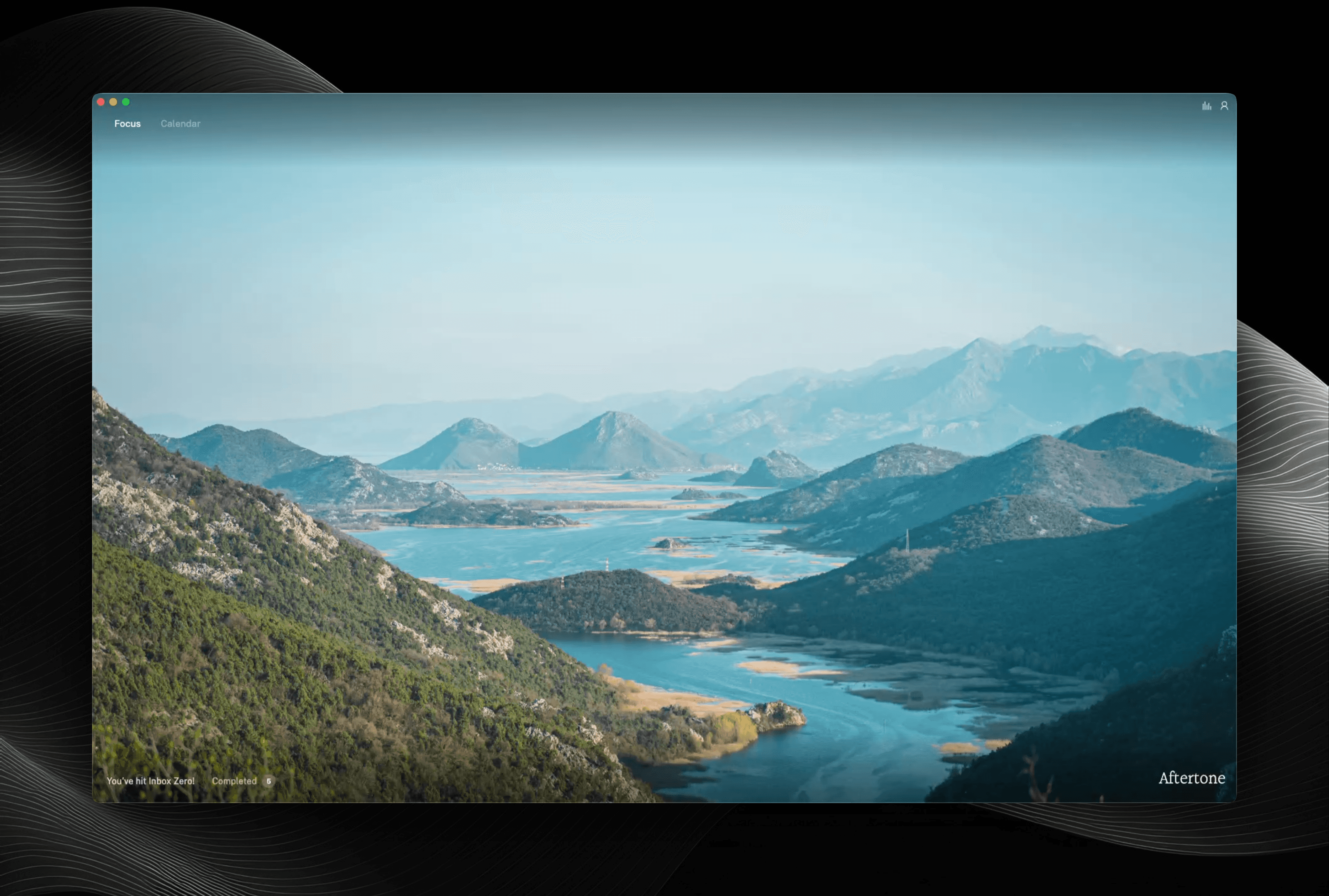
Consultants are managing more clients than ever and finishing work with less time to spare.
Fewer than 3 hours of real focused work gets done each day. The rest disappears into status updates, context switching between clients, and the mental overhead of knowing exactly where you are on five things at once.
This means deliverables take longer than they should. Prep happens the morning of instead of the day before. And the work that would genuinely move things forward keeps getting bumped by the work that just arrived.
With Aftertone, this changes.
- Plan every week knowing what each client actually needs.
- Work through it without losing the thread.
- Know what you actually did by Friday.
"I've noticed a massive improvement in my focus and efficiency since using Aftertone. It's a truly outstanding product."
Suleman Rafiq, Co-CEO
Plan: Start every day knowing exactly what each client needs from you.
You open your laptop. Client A sent something last night that needs a response. Client B has a deliverable due Thursday that you haven't started properly. Client C has a call at 11 and you're not prepared. Somewhere underneath all of it is the actual work that moves each engagement forward. You spend the first hour triaging instead of building.
Aftertone changes the first ten minutes of your day. Every task across every client in one view, prioritised, with time attached. Got a long email, a set of notes from a client call, or a list of actions buried in a deck? Auto-capture reads it and creates your tasks automatically.
You start the day prepared, not scrambling.
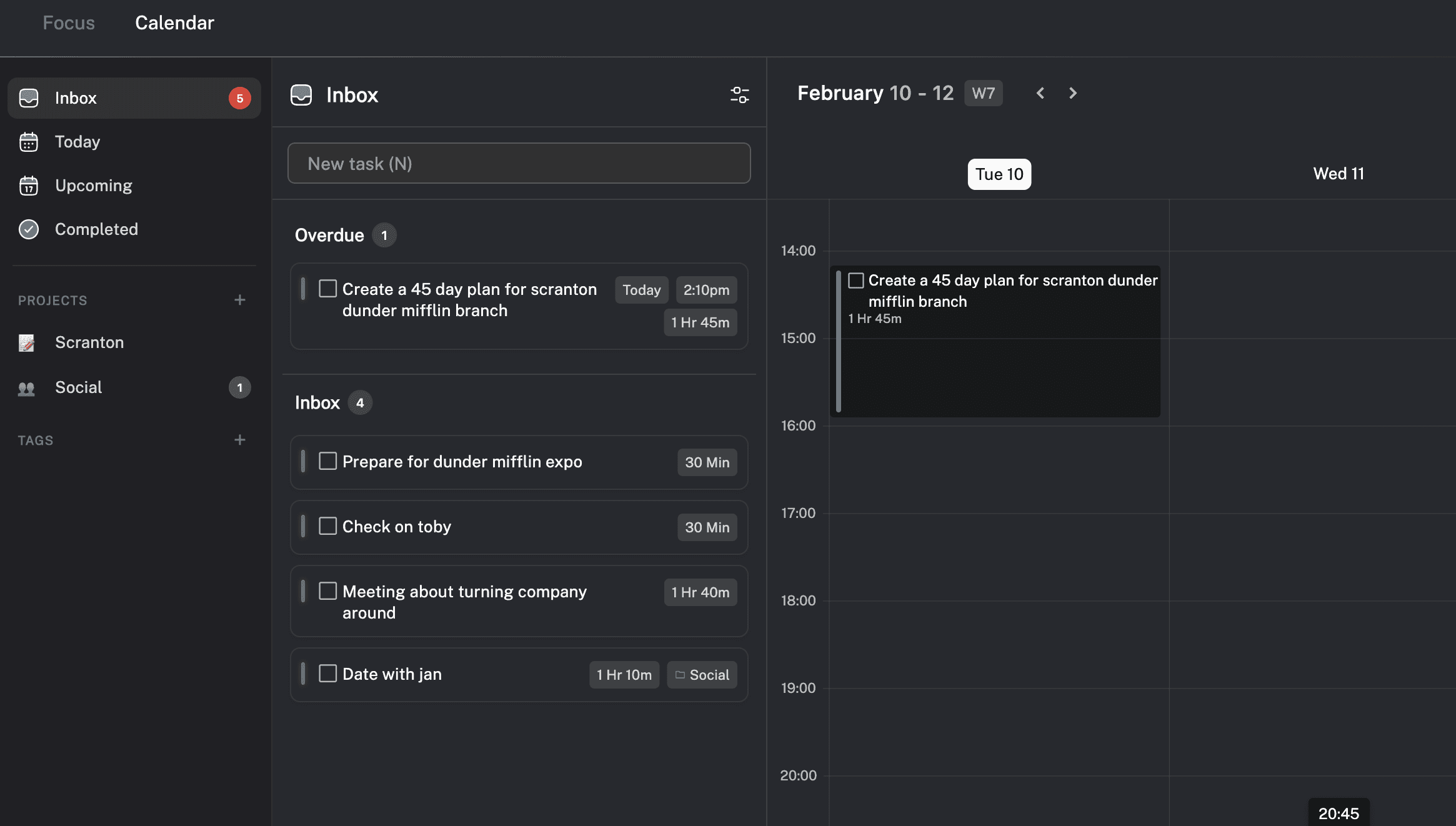
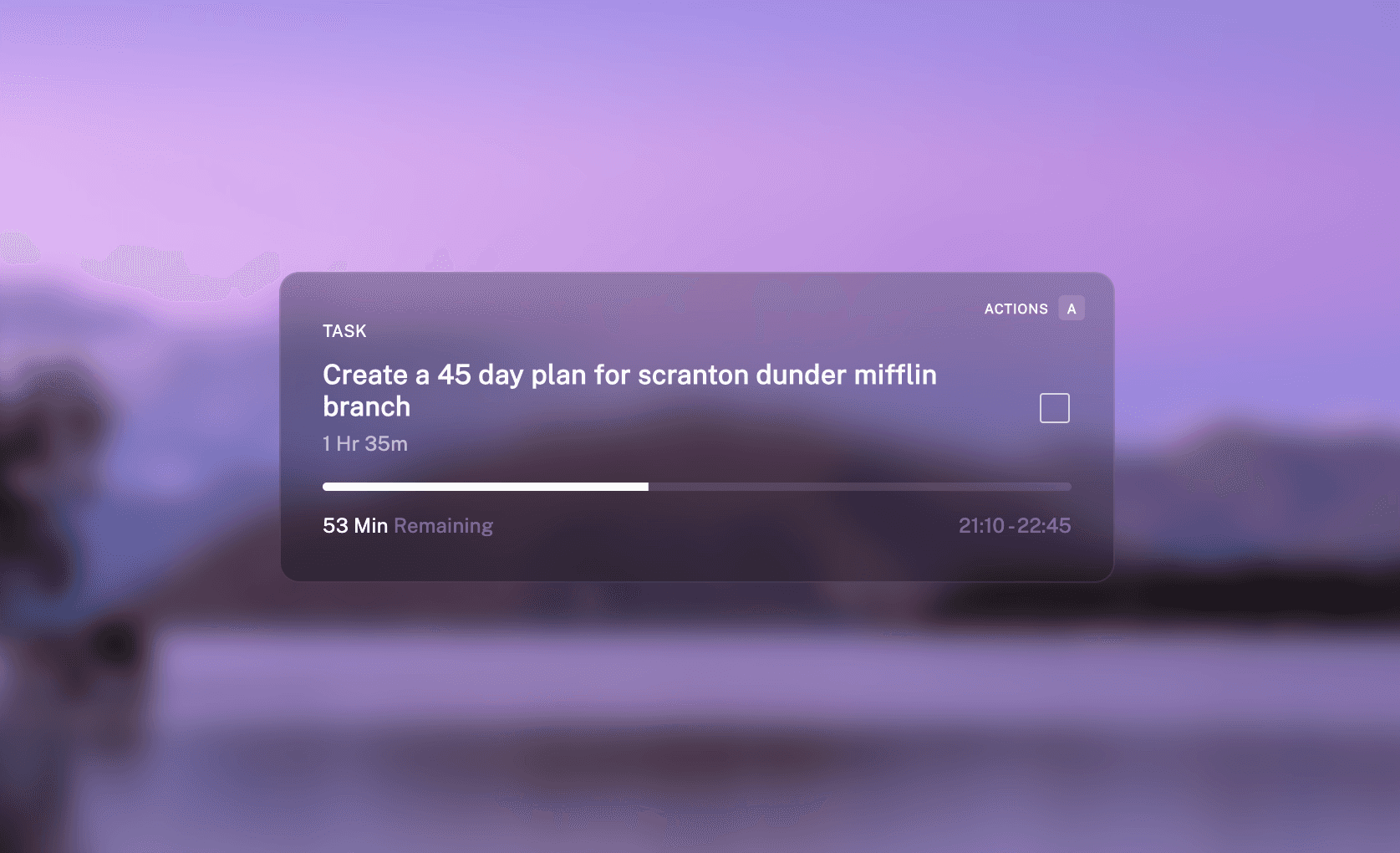
Execute: Get into flow and stay there.
Open most productivity apps mid-work and you'll find yourself rescheduling, reprioritising, or staring at everything you haven't done. It's the opposite of what they're designed to do.
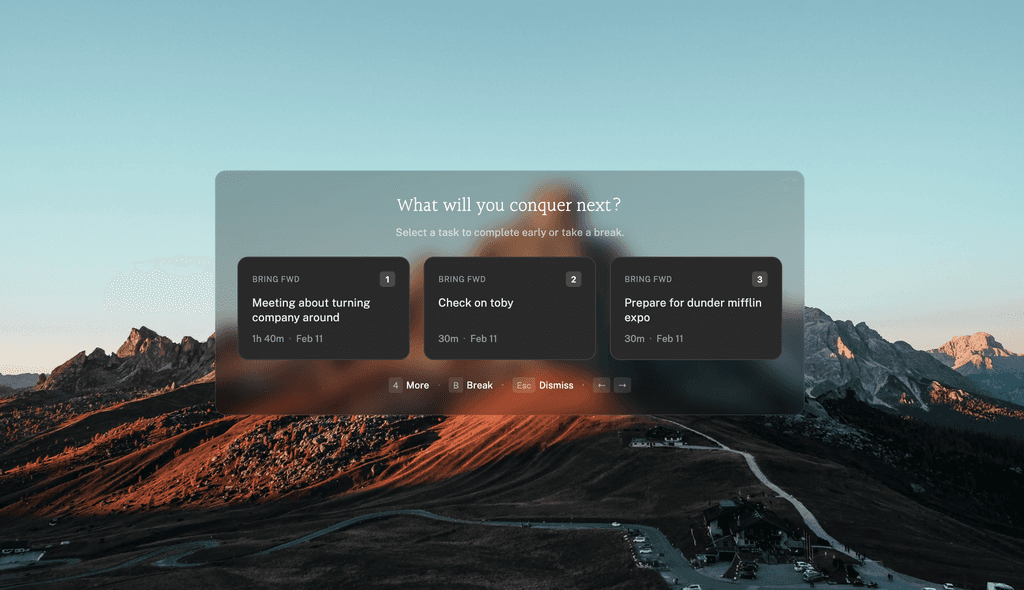
Aftertone's focus screen shows you one thing at a time. Complete a task and Aftertone surfaces the most relevant next tasks. Pick the next one with a single keystroke and your calendar updates in real time. Add subtasks as they come, extend or shorten sessions on the fly, or take a break that's automatically shown in your schedule. You never have to leave the screen.
The only time serious work gets interrupted is when you decide it should be.
Evaluate: Understand the gap between the week you planned and the week you had.
Planning is easy. The hard part is knowing whether it worked. Most tools show you what you planned and how many tasks you completed. But that doesn't tell you whether you got ahead of your clients or just kept up with them.
So Aftertone goes under the surface. Your weekly report shows total flow sessions, your peak day, and a full work timeline showing exactly when serious work happened (and when it didn't).
The honest account of your week that no one else cares to tell you.
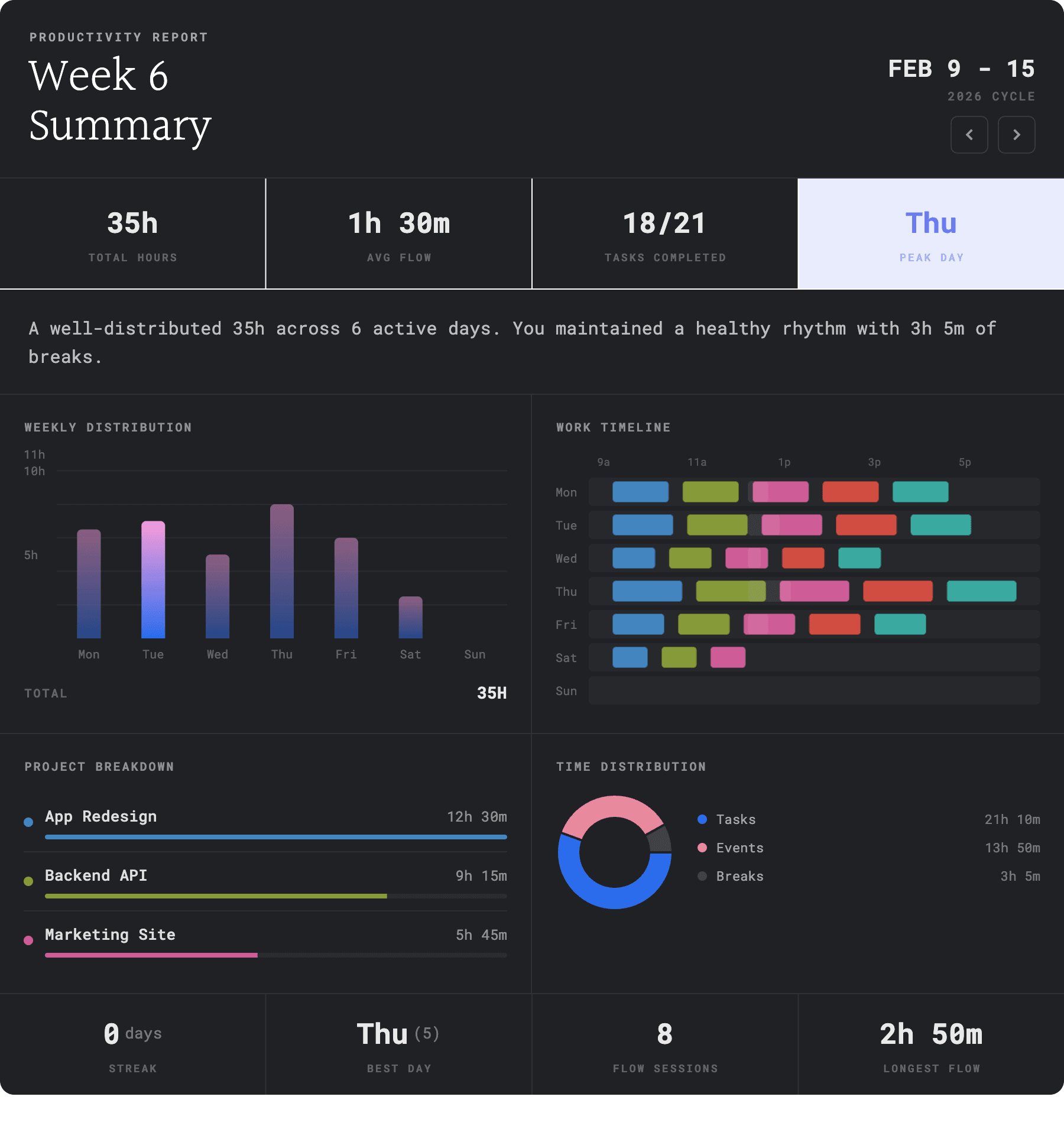
Compound: Turn every week's data into next week's advantage.
Most productivity tools plateau. You set them up, use them for a month, and they stop improving and lose their shine.
Aftertone is intelligent, but unlike others, it's not in your face. It silently helps you plan your work around your energy state, provides contextual nudges to beat procrastination and includes proven techniques to help you maintain flow. Over time, these suggestions get more precise and the gap between effort and output closes.
A contextual system that gets sharper the longer you build with it.
Built on research. Not hype.
Most productivity apps add features because they're trendy, not because they work.
Aftertone does the opposite. Every feature is designed around proven behavioural science - from time blocking to habit formation. The result is an app that makes you more focused, not more busy.

What you get with Aftertone
- Auto Task CapturePaste anything or take a screenshot. Aftertone creates structured tasks instantly.
- Universal CaptureOption + Space. Capture anything from anywhere on your Mac.
- Daily PlanningSchedule your most important work before the day fills up.
- Focus ModeOne task. No distractions. Your calendar updates as you work.
- Keyboard FirstEvery action at your fingertips, without touching your mouse.
- Smart LabelsEvery task labelled automatically the moment it lands.
- Project ManagementEvery project in one view. Drag, reprioritise, and move fast.
- Weekly ReportsFlow sessions, peak day, and a full timeline of how your week actually went.
- Task NotesMarkdown notes attached directly to any task. Context, links, and briefs always where you need them.
- Calendar SyncTwo-way, real-time. Every block appears everywhere automatically.
Set up in minutes, better work within a week.
- 01Download & SetupToday
Get started in 5 minutes. Download Aftertone and connect your calendar.
- 02Plan & ExecuteWeek 1
Use it for one week. Plan your time across every client before the week fills up. Aftertone learns how you work.
- 03Evaluate & OptimizeFor Life
Get better every day. Aftertone delivers personalized insights to make you faster, sharper, and more focused.
Your questions answered.
Everything you need to know about working with us. Still have questions? Book a free call and we'll walk you through it.
I work across four clients at once. Will this make that harder or easier?
Easier. Every client gets its own project tag so your work is separated automatically. You plan across all of them in one view without needing four tabs or a colour-coded spreadsheet. You see what's urgent for each, give it time, and move through it in order. Most consultants say the thing that surprised them most was seeing all their client work in one place without it feeling chaotic.
Who built this and are you still working on it?
Aftertone is built by a small independent team based in Manchester. No investors, no acquisition plans, no growth mandate. We use it every day, which is probably the most honest answer to whether we're still working on it. The changelog is public if you want proof — we've shipped every few weeks since launch and we're not slowing down.
My weeks look completely different depending on what clients need. Can I still plan?
That's what Aftertone is built for. You plan what you know, leave room for what you don't, and adjust as things change. Sessions extend or shorten with a keystroke. At the end of the week, the report shows you what actually happened versus what you planned, which is the only way to get better at scoping and managing client expectations.
I have a call prep problem. I'm always preparing the morning of. Does this help?
Yes, and it's the thing consultants notice first. When every task has a time attached and every client has a visible backlog, the prep work stops getting bumped. You see on Monday that Thursday's call needs two hours of prep. You block it Tuesday. Thursday morning you're ready instead of rushing.
Which platforms are supported?
Mac only right now. We built desktop first because that's where serious work happens and we wanted to get it right before expanding. iOS and Android are coming. If you want to know when, follow the changelog — we ship regularly and update it every release.
Will I still be using this in six months?
That depends entirely on you, but we've built Aftertone to compound over time rather than plateau. Most tools feel useful for a month and then become another thing to maintain. Aftertone gets more accurate the longer you use it because every week's data feeds next week's suggestions. The people who get the most out of it are the ones who are serious about improving their productivity. If you do that, six months in you'll have a clearer picture of how you work than most people develop in a career.
How quickly will I see results?
Most people feel the difference in the first week. The planning view changes how you start your day. The focus screen changes how you work through it. The first weekly report usually lands somewhere between useful and uncomfortable — you see exactly where your time went and it's rarely what you expected. That moment tends to be when it clicks. After that it compounds.
I use Google Calendar for client calls and Notion for project notes. Does this replace them?
Google Calendar stays. Aftertone syncs with it two-way so your client calls show up automatically and your time blocks appear in their calendar. Notion stays too if that's where your project documentation lives. Aftertone is the layer where you plan and do your own work. The thing it replaces is whatever you were using to track your tasks, which for most freelancers is either nothing or a Notion page that's two weeks out of date.